Updated Oct 13, 2026 · 1 more we checked and added
3D Pinball for Windows: Space Cadet shipped with Windows for years, and Microsoft later dropped it. Wine-Assembly, a Windows 98 emulator written in WebAssembly, now runs the original program in a browser tab.
This is not a remake. The real executable starts on an emulated Win98 desktop, after at least 15 MB of downloads, and the same site runs SkiFree and Minesweeper too.
3D Pinball: Space Cadet (Wine-Assembly)
Status
Plays instantlyLink up on Oct 13, 2026
Mode
Single-player pinball inside a Windows 98 emulator
Host
wine-assembly.berrry.app
Download
~15 MB+ (measured Oct 13, 2026)
Phone
Phone: limited
Wine-Assembly is a Windows 98 emulator written in WebAssembly Text. It runs the original 3D Pinball for Windows: Space Cadet executable on a Win98 desktop inside your tab; in our test the table appeared, waiting for the first ball, after at least 15 MB. The same site also runs SkiFree, Minesweeper, Solitaire and other Windows 98 programs.
Opens a third-party site. Skip anything that asks you to install a launcher or extension.
How Space Cadet pinball in browser works
Space Cadet pinball in browser runs on Wine-Assembly, a Windows 98 emulator written in WebAssembly Text, the human-readable form of WebAssembly. The project includes its own x86 interpreter, which runs the processor instructions of old Windows programs, and its own layer that answers the Win32 calls those programs make to Windows.
The important part is that it runs the real executables. It is the original program from the Windows era, running inside an emulated system in your tab, rather than a rebuild of the pinball game.
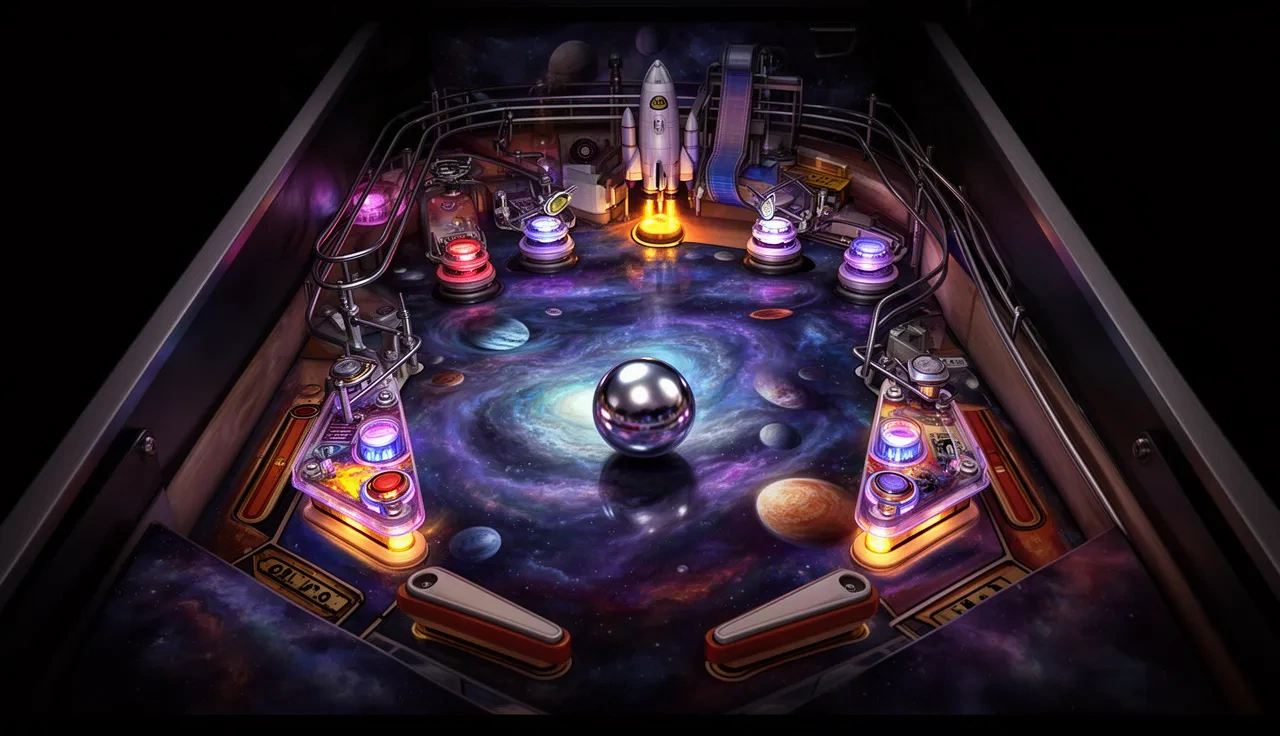
When you open the page, a Windows 98 desktop appears first. Then the pinball window opens and the table shows Awaiting Deployment, the message it displays while it waits for the first ball. In our test that took at least 15 MB of downloads; the next section explains why that is a minimum.
Why we say "at least 15 MB"
Most games on this site have a single download figure. This one has a plus sign, and the reason is technical. Wine-Assembly hands its files to the page through a service worker, so the browser reports a transfer size of zero for them; we counted the encoded size of each file instead. The browser also keeps timing records for only 250 files by default, and Wine-Assembly loads more than that before the table appears. So 15 MB is what we could count, not the full total.
In practice, expect a longer first load than a small web game, and give the emulator time before deciding it has stalled.
About 3D Pinball for Windows: Space Cadet
The Space Cadet table did not start at Microsoft. It came from Full Tilt! Pinball, a 1995 game developed by Cinematronics and published by Maxis, and Microsoft licensed the table for Windows. It was included with Microsoft Plus! for Windows 95 and with Windows NT 4.0, and later shipped with several versions of Windows through Windows XP.
For many people it was the first computer game they ever played, simply because it was already on the family PC. It disappeared from Windows after XP, and Microsoft never brought it back, which is a big part of why people now look for ways to play it again.
Tips for playing Space Cadet pinball in browser
Click the game window before you press keys, so the emulator receives your input.
Read the mission text on the table's display. The table gives you missions and ranks, not just a score.
Other Windows 98 programs on the site
Wine-Assembly is not a single-game page. The same site runs other classic Windows programs, including SkiFree, Minesweeper, Solitaire and other Windows 98 programs.
The site also runs RollerCoaster Tycoon in browser, a much bigger game that takes longer to load but works on the same principle.
Is it legal, and will it stay up?
This is the part to be honest about. Wine-Assembly runs Microsoft's original program, and the site hosts it; Microsoft does not offer Space Cadet for download today. That means the page depends on a third party continuing to host the program, and it could be taken down at any time.
Playing it in your browser does not install anything on your computer. Never download an installer or an .exe from a site that claims to offer the same game; our browser games safety guide explains why.
Phones and tablets
We could not confirm comfortable touch play on a phone, so use a computer if you can.
For more old PC games that run in a tab, with sizes and phone support side by side, see PC games in browser.
Tips before you play
Give it a moment: the Windows 98 desktop appears first, then the pinball window.
Use a keyboard. Pinball flippers and plunger were made for keys, not touch.
Try the other programs on the Wine-Assembly site, such as SkiFree and Minesweeper.
FAQ
Is this the original Space Cadet pinball?
Yes. Wine-Assembly runs the original Windows 98 program inside an emulator; it is not a remake.
Do I need Windows?
No. The emulator runs in any modern browser.
Can I play Space Cadet pinball in browser offline?
Not that we know of. The emulator and the program are loaded from the site each time.