Updated Oct 13, 2026 · 1 more we checked and added
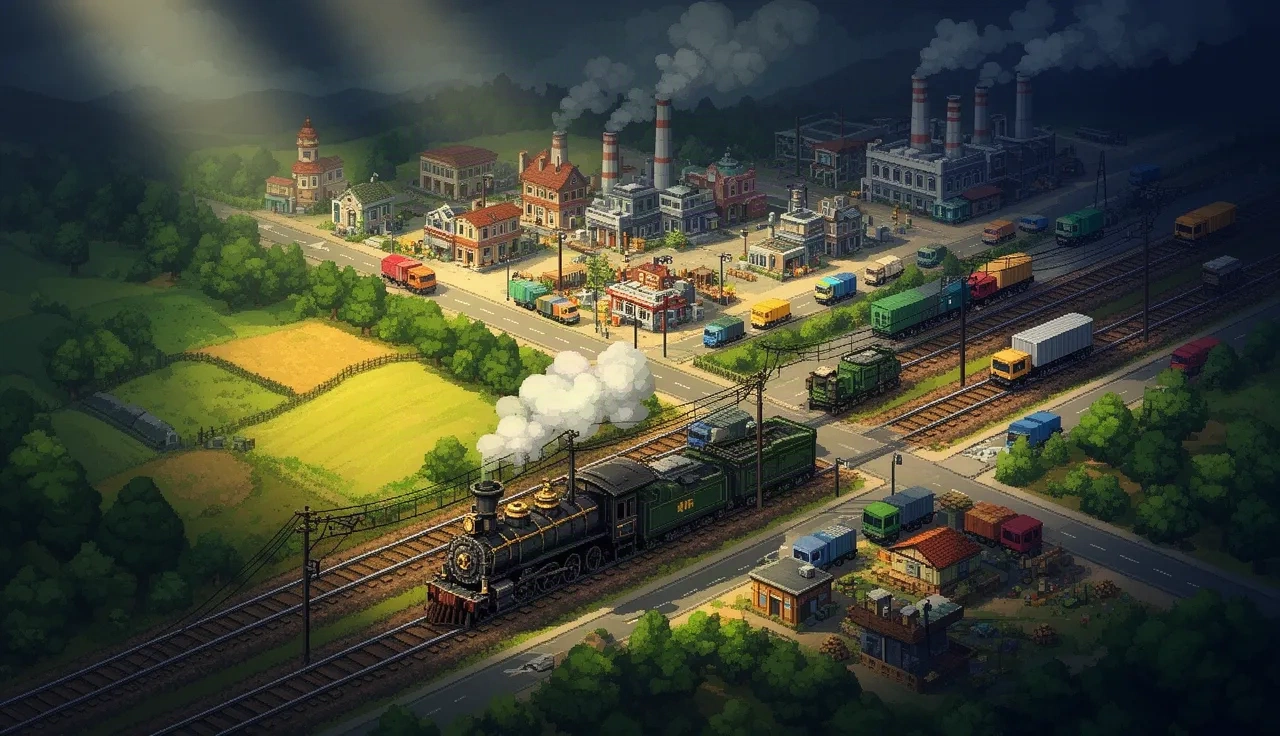
OpenTTD is the free, open-source remake of Transport Tycoon Deluxe, and a web build lets you run it in a browser tab without installing anything. It loads in about 5 MB.
It uses free replacement graphics, so no original game files are needed. The one catch is saving: your games live in browser storage, which the browser can clear.
OpenTTD (web build)
Status
Plays instantlyLink up on Oct 13, 2026
Mode
Single-player transport tycoon sandbox
Host
openttd-web.pages.dev
Download
~5 MB (measured Oct 13, 2026)
Phone
Phone: limited
A web build of OpenTTD 14.1, the free open-source remake of Transport Tycoon Deluxe, using free replacement graphics. It loads in about 5 MB, refreshes itself once on first visit and then opens the main menu. The page warns that savegames live in your browser's IndexedDB and can be deleted by the browser without notice.
Opens a third-party site. Skip anything that asks you to install a launcher or extension.
How OpenTTD in browser works
OpenTTD in browser is a web build of OpenTTD 14.1, the free and open-source transport simulation game. Because OpenTTD ships with free replacement graphics, sounds and music, the web build does not need any files from the original Transport Tycoon Deluxe. You open the page and play.
The download is small, about 5 MB in our test. On your first visit the page refreshes itself once after loading; that is normal, and the main menu appears afterwards. You may also see a survey prompt asking whether to share anonymous game statistics. Dismiss it however you like.
Saves and browser storage
The web build stores savegames in your browser's IndexedDB, and the page itself warns that the browser can delete them without notice. Browsers may clear storage when the disk is low, and you remove it yourself if you clear site data or cookies for the site.
Private or incognito windows are worse: everything is thrown away when you close the window. Use a normal window, and do not put months of work into a browser save. If a company becomes important to you, the desktop version of OpenTTD is free and keeps saves as regular files.
About Transport Tycoon Deluxe and OpenTTD
Chris Sawyer designed Transport Tycoon, released in 1994, and followed it with Transport Tycoon Deluxe in 1995. You run a transport company, linking towns and industries with trains, road vehicles, ships and aircraft, and earn money by moving passengers and cargo.
OpenTTD began in 2004 as an open-source reimplementation of Transport Tycoon Deluxe. Over the years it has added much larger maps, online multiplayer in the desktop version, and a long list of improvements, while keeping the feel of the original.
OpenTTD in browser vs the desktop version
The web build is the quickest way to see whether OpenTTD is for you: no installer, about 5 MB, and a running game a minute later. It is the same game underneath, built from OpenTTD 14.1.
The desktop version is also free, and it is the better home for a long game. Saves are ordinary files you can back up, there is no risk of the browser clearing storage, and it supports online multiplayer with other players. We did not test multiplayer in the web build. A sensible plan is to learn in the browser, then move to the desktop download once you are hooked.
Browser: instant start, small download, saves in IndexedDB that can disappear.
Desktop: free install, saves as files, online multiplayer.
Both: free replacement graphics, no original game files needed.
First game tips
Check vehicle profits in the vehicle list now and then, and sell or reroute vehicles that lose money.
Start with a bus line between two nearby towns. It is cheap, earns steady money and teaches you how stations and routes work.
Use signals on busy two-way rail lines so trains can pass each other instead of blocking the track.
Pause while you plan bigger projects. Time and money keep moving otherwise.
Watch your loan. Borrowing is fine early on, but pay it back once your routes are profitable.
Connect industries next. Once the bus line makes money, a short rail line from a coal mine to a power station is a classic second step.
Want something more relaxed? Minecraft in browser is free-form building with no economy at all. For the full list of ports we have checked, see PC games in browser.
Tips before you play
Do not rely on browser storage for a save you care about. It is not permanent.
Start with a small map so the simulation stays fast.
A mouse with a scroll wheel makes building rails and roads much easier.
FAQ
Is OpenTTD in browser free?
Yes. OpenTTD is free and open source, and the web build needs no game files.
Where are my OpenTTD saves stored?
In your browser's IndexedDB. Clearing site data or private browsing removes them.
Why did the page reload on my first visit?
The OpenTTD web build refreshes itself once after the first load, then opens the main menu. That is expected.
Do I need Transport Tycoon Deluxe files?
No. OpenTTD uses free replacement graphics, so the web build needs no original game files.